> ## Documentation Index
> Fetch the complete documentation index at: https://terminal49-codex-update-typescript-sdk-cli-current.mintlify.site/llms.txt
> Use this file to discover all available pages before exploring further.
# Tracking Widget Embed Guide
> Embed the Terminal49 track-and-trace widget on your website so customers can look up live shipment and container status with a publishable API key.
### How do I embed the widget on my website?
> First, you need a publishable API key. You can get one by contacting [support@terminal49.com](mailto:support@terminal49.com)
Once you have the key, you can embed the widget on your website. Create a dedicated page for tracking, typically at `company-website.com/track`. You can also embed the widget directly on your homepage. If you create a dedicated tracking page, add an `h1` tag above the script. Feel free to customize the `h1` contents in the script.
Copy and paste the code below and insert it at the top of the page (under your navigation if you have a horizontal top navigation). Replace `REPLACE_WITH_PUBLISHABLE_KEY` with the API key you receive. You can customize the `h1` contents in the script below.
To query a bill of lading, container, or reference number, simply replace `REPLACE_WITH_NUMBER_TO_QUERY` with the specific number you want to search for. If `data-number` exists, the query will be performed only once.
```html theme={null}
Tracking
```
## Frequently asked questions
### How does it work?
With a few lines of code, you can embed an interactive container tracking form. Once the widget is live on your website, your customer can enter a master bill of lading, container number, or reference numbers that a shipment is tagged with. After the number has been entered, the widget will retrieve and display shipment and container details from your Terminal49 account.
### Do I need Terminal49 account?
Yes. The information fetched and displayed by the widget is based on the shipments and containers tracked within your Terminal49 account.
### Can my customer track *any* shipment/container?
No, only the shipments and containers that are tracked in your Terminal49 account.
### Is there a cost to embed the widget?
Yes, there is a \$500/month fee to embed and use the widget. This includes an unlimited number of visitors and tracking requests.
## Terminal49 container tracking widget one-pager
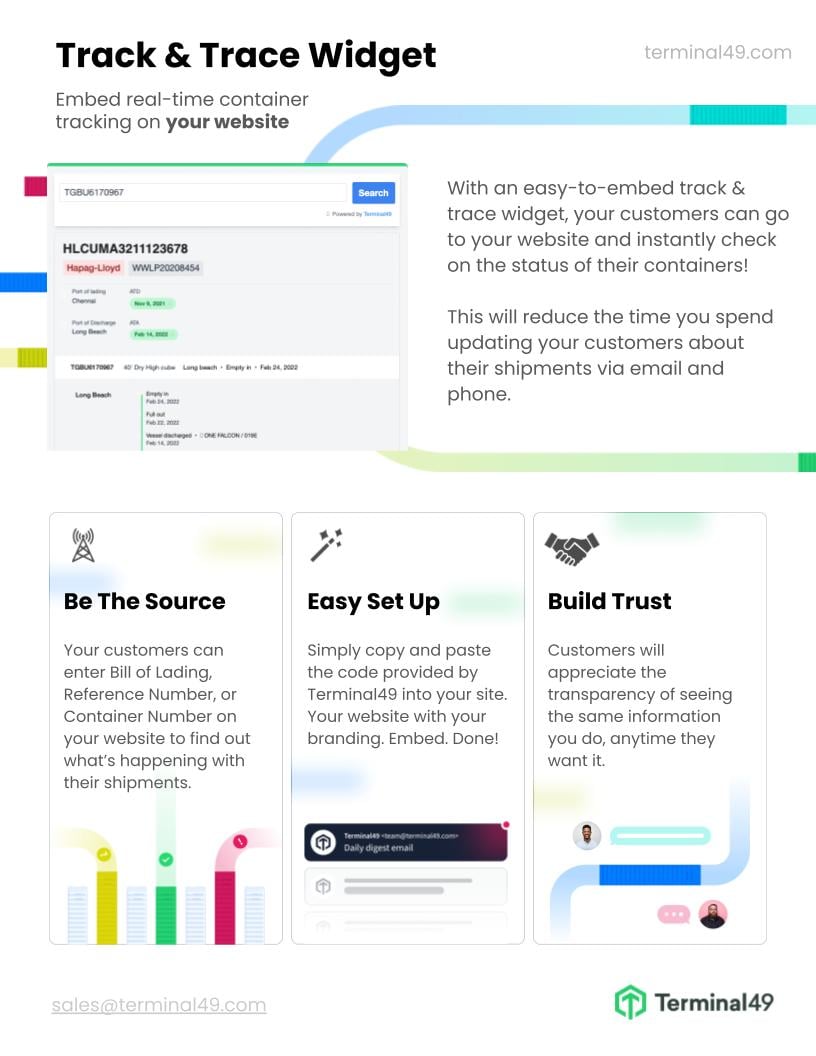
Here is a one-pager that describes the benefits of the Track & Trace Widget. Feel free to share it with your team or management if you want to demonstrate the benefits of adding track and trace functionality to your website.
The Track & Trace Widget provides a number of advantages:
* It offers your customers a convenient way to track their shipments and containers.
* It helps to improve customer satisfaction by providing accurate container status.
* It can reduce customer service costs by providing customers with the information they need without having to contact customer service.
* It can help you differentiate from other service providers.